Toolbelt: resize images, convert formats and view CSV — all inside Chrome, no uploads
A free Chrome side panel toolkit for the small jobs you used to do on sketchy "free online" sites: image resize and conversion (PNG, JPEG, WebP, AVIF), favicon and icon-set generation, large-CSV viewing, and markdown / terminal formatting. Everything runs locally in your browser.
Who this is for
Toolbelt is built for developers, designers, solopreneurs, and small-business owners who do small one-off jobs all day — resize a screenshot for a slide deck, convert a PNG to WebP for the site, generate a favicon set for a new project, glance at a CSV from a client without firing up Excel. Useful if you'd rather not upload anything to a stranger's server to do it.
What you can use it for
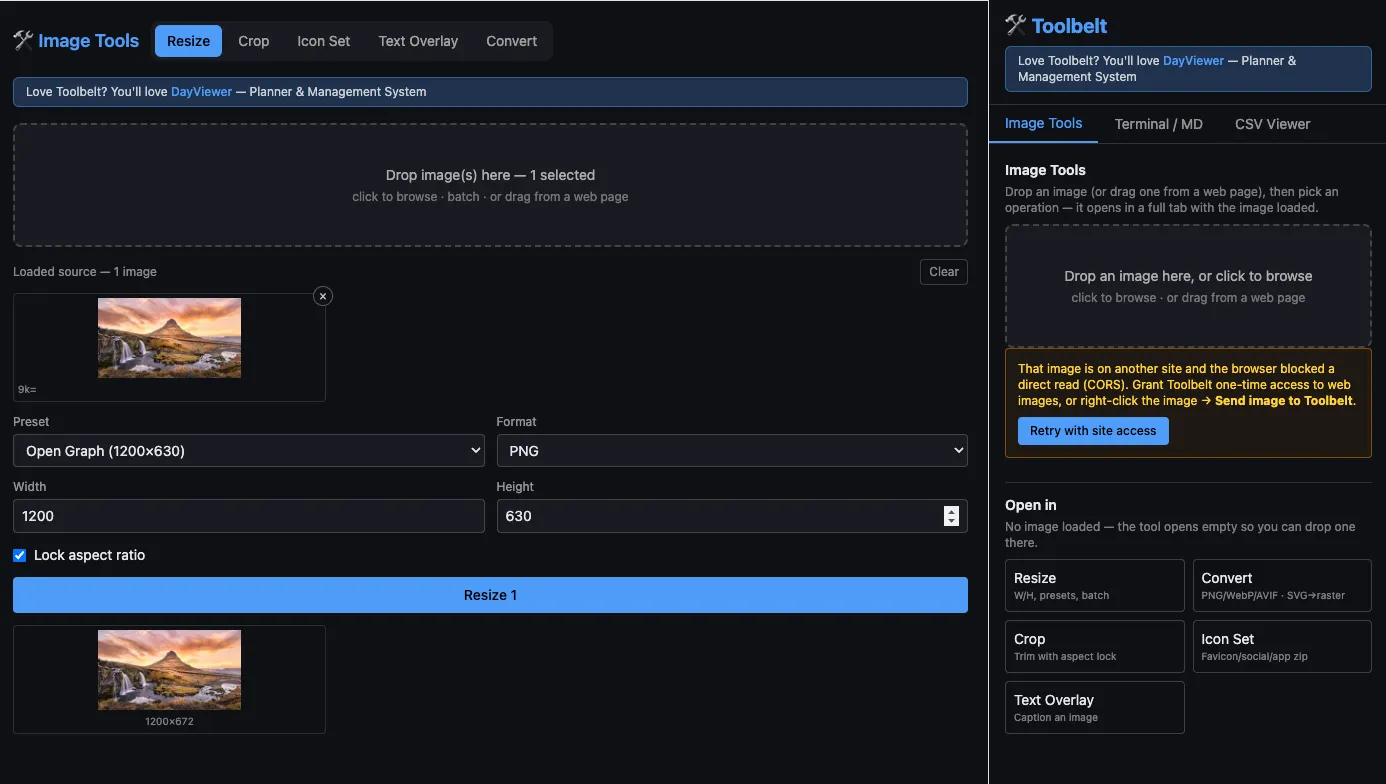
Resize an image without uploading it anywhere
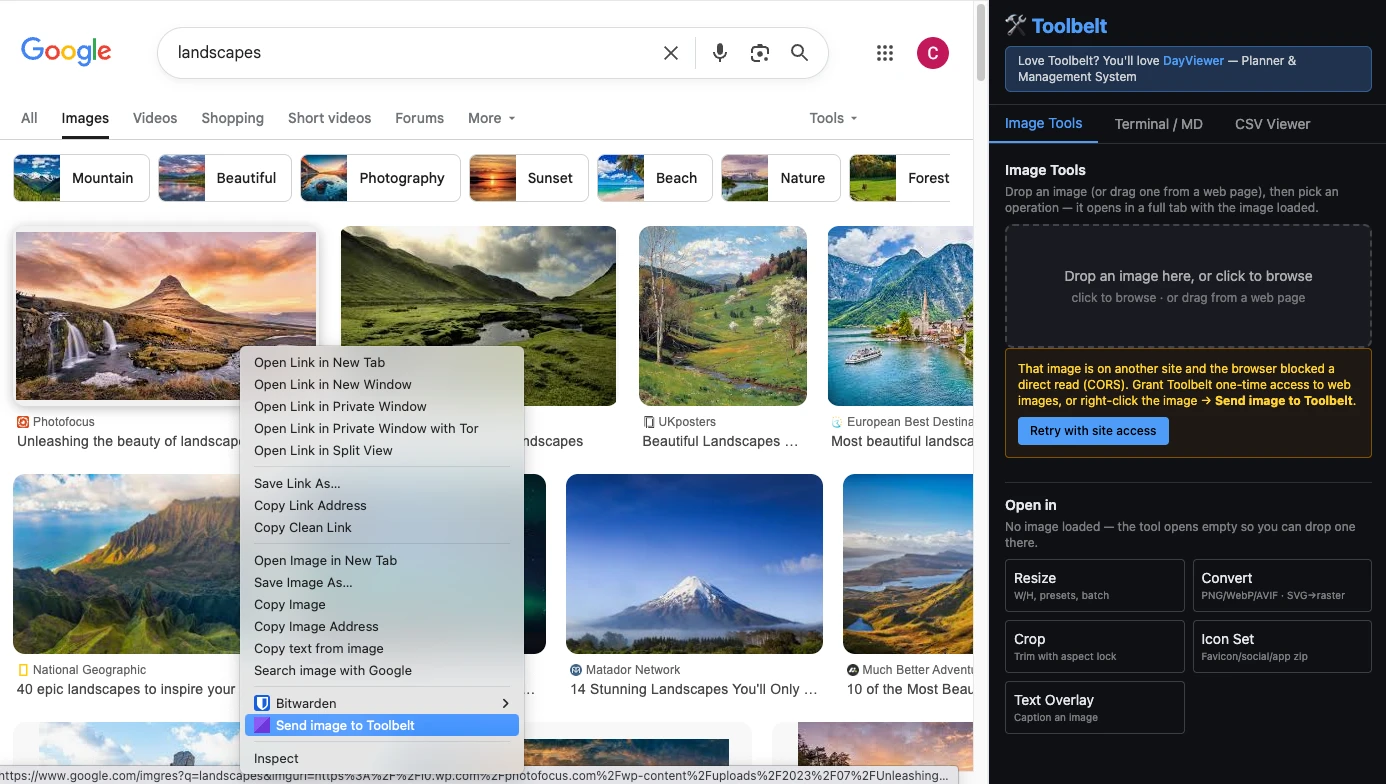
Drop an image (or right-click → "Send image to Toolbelt" from any web page) and resize with aspect lock, presets, or batch. Export as PNG, JPEG, WebP, or AVIF with quality control, single file or as a ZIP.
Convert PNG to WebP / AVIF in bulk
Drag a folder of images in, pick the target format, set the quality, and download the converted set. Useful when you're trimming a site for Core Web Vitals or rebuilding an old image library.
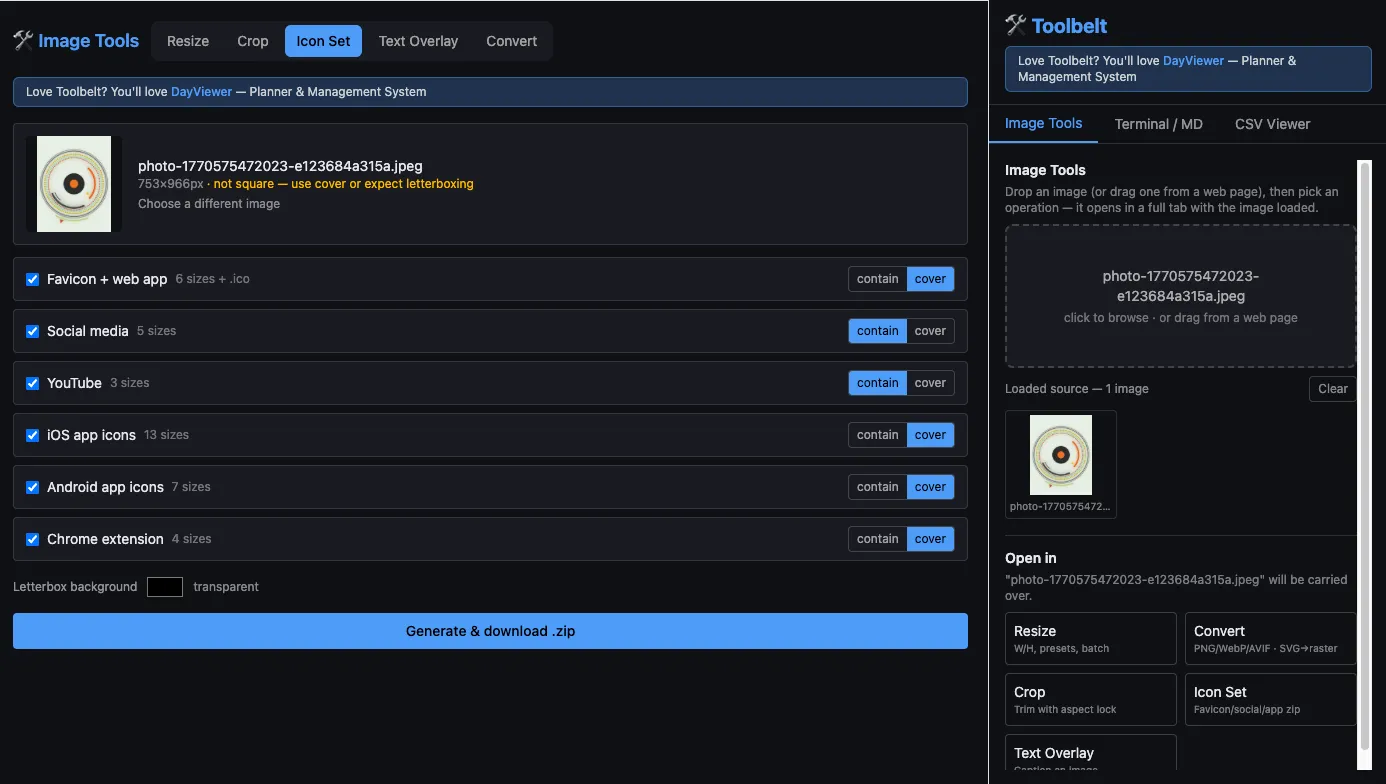
Generate a complete favicon and app icon set
One source image → a folder-structured ZIP containing a multi-size favicon.ico, the web-app PWA icons, social-share cards, full iOS and Android app icon ladders, plus Chrome-extension and YouTube sizes. Saves the half-hour of fiddling that this job usually requires.
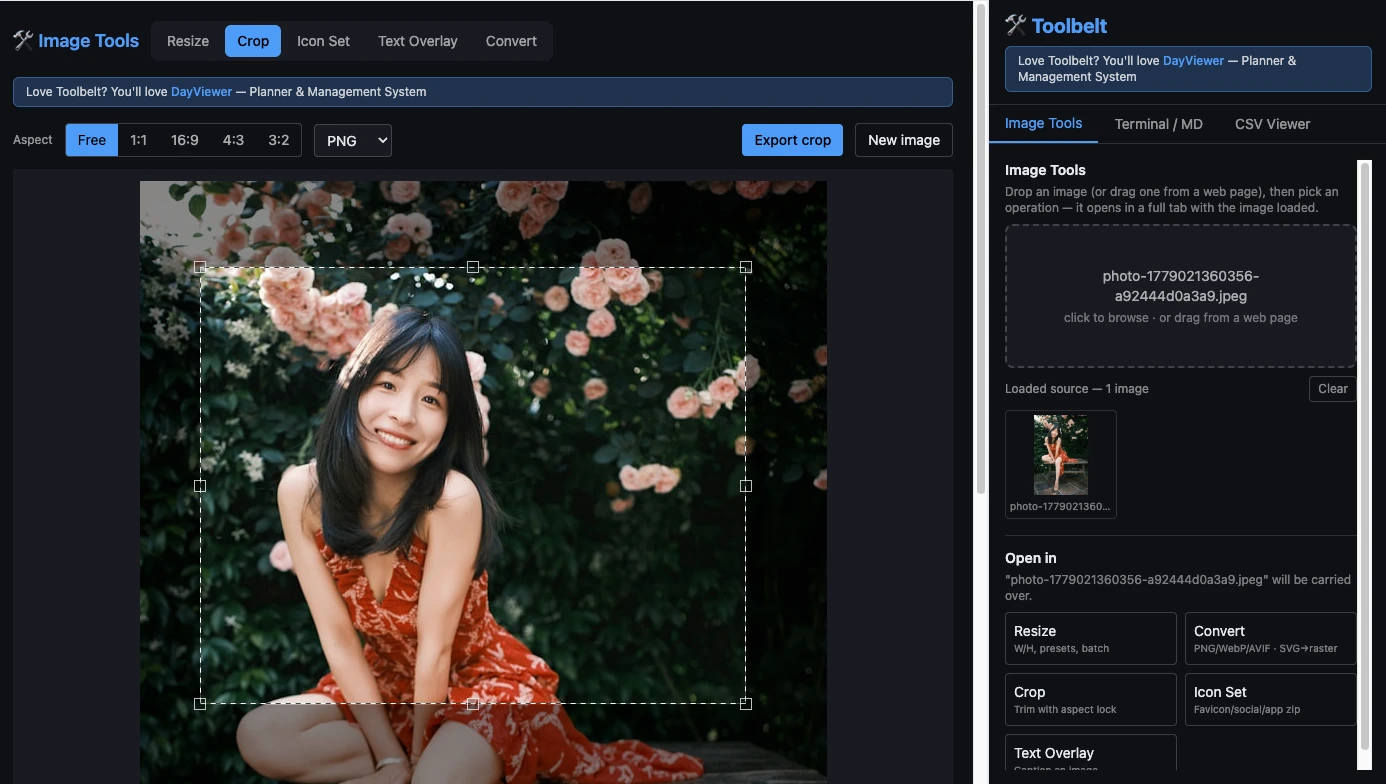
Crop with pixel precision
Drag a selection with an optional aspect-ratio lock; exports at full resolution. Faster than opening a real image editor when you just need to trim a screenshot.
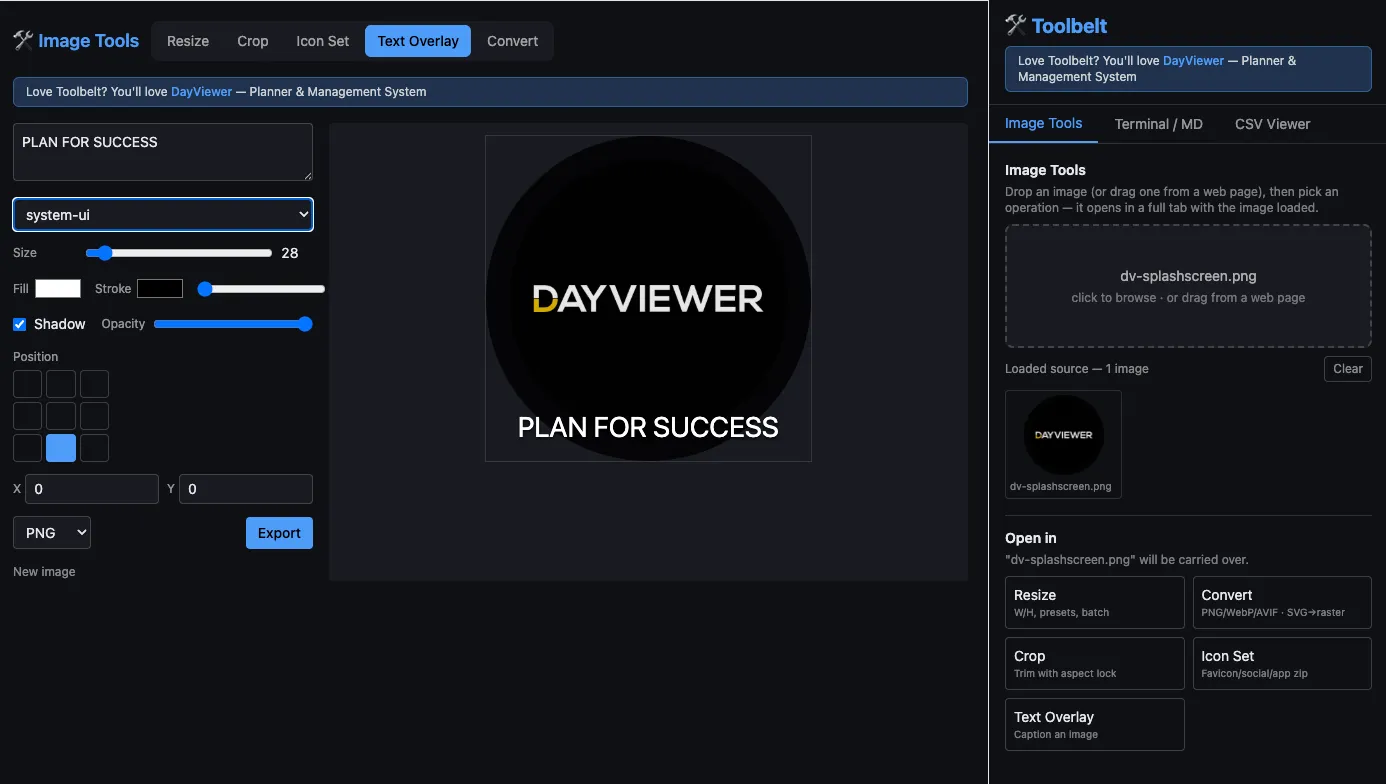
Overlay text on images
Multiline captions with font, size, fill/stroke, shadow, opacity, a 9-point anchor grid and X/Y offset, with a live preview. Useful for quick social previews or annotated screenshots.
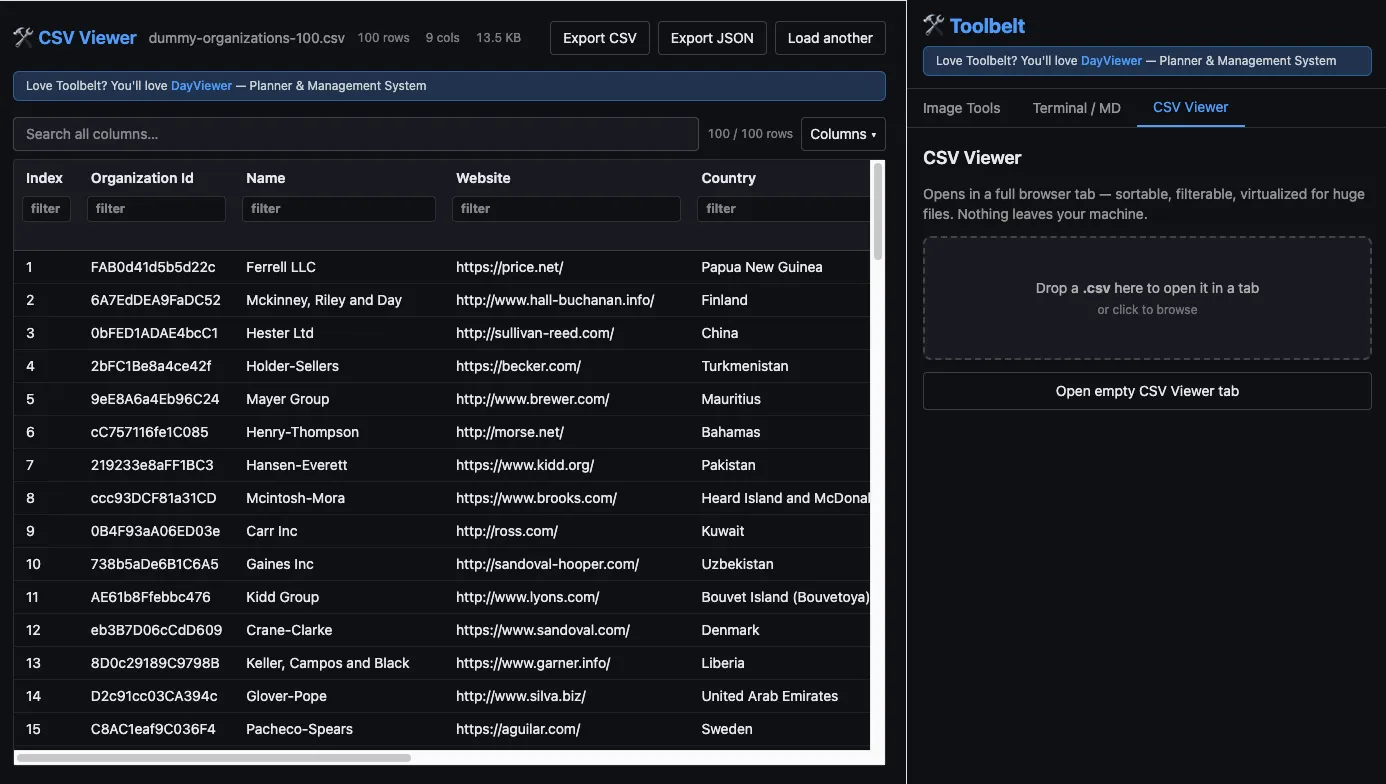
Open very large CSV files without crashing your spreadsheet
Streaming parser + virtualized rows means Toolbelt stays fast on files that would lock up Excel or Google Sheets. Sort, filter per column, run a global search, show/hide columns, and export the filtered view as CSV or JSON.
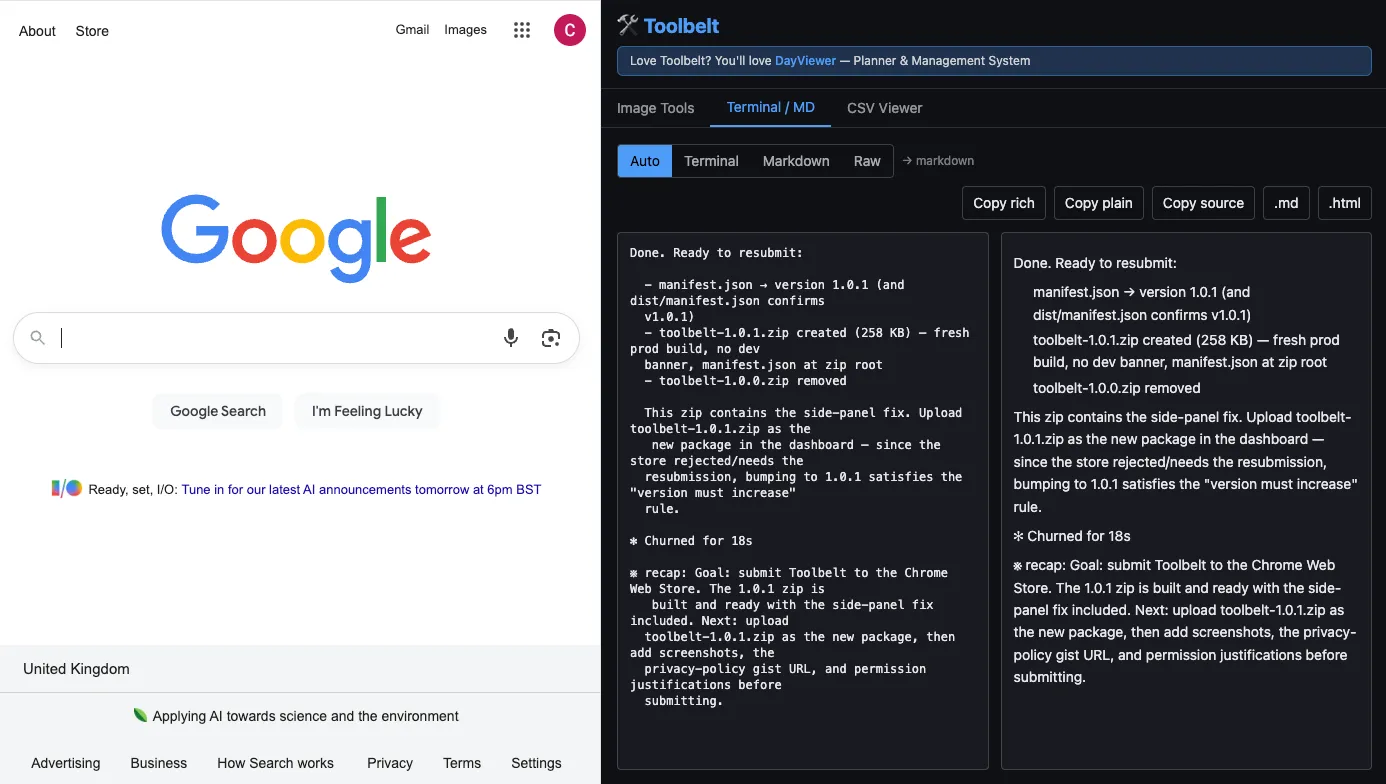
Clean up terminal output and render markdown
Paste raw terminal output and Toolbelt converts the ANSI codes into proper colours rather than dropping them. Markdown rendering with syntax-highlighted code blocks too. Copy as rich text, plain text, or markdown; download as .md or .html.
Why a side-panel toolkit beats "free online" tools
- Nothing leaves your machine. Client-side processing means client logos, private screenshots, financial CSVs, and unreleased designs don't end up in someone else's analytics pipeline.
- No ads, no upsells, no captchas. One panel, the actual tool, done.
- Works offline. Aeroplane mode, cafe wifi, locked-down corporate network — doesn't matter.
- No host permissions at install. The only optional network call (loading an image you dragged from a web page) is asked for at the moment you do it, and can be revoked.
Privacy & no-account promise
Toolbelt is built privacy-first. All processing happens inside your browser. No host permissions are requested at install. There is no analytics, no telemetry, no account, no signup, and no data ever leaves your device. If you can use it offline, that is the strongest possible guarantee, and Toolbelt can.
FAQ
Is Toolbelt really free?
Yes — completely free on the Chrome Web Store. No paid tier, no watermark, no daily limits. Cool Easy is sponsored by DayViewer.
Does it work offline?
Yes. Everything is client-side. The only optional network usage is loading an image you've dragged off a live web page, and that is asked for at runtime.
Will it handle a 200 MB CSV?
Yes — the CSV viewer uses a streaming parser and virtualized rows, so even large files stay responsive.
Can I use it for client work?
Yes, that's the main use case. Because nothing leaves your machine, you can resize a client's screenshot or view their data export without an NDA conversation.
What about ANSI / colour terminal output?
Paste it in. Toolbelt converts ANSI codes to real colour rather than stripping them, and renders markdown with syntax-highlighted code blocks.