Browse & Pin Buddy
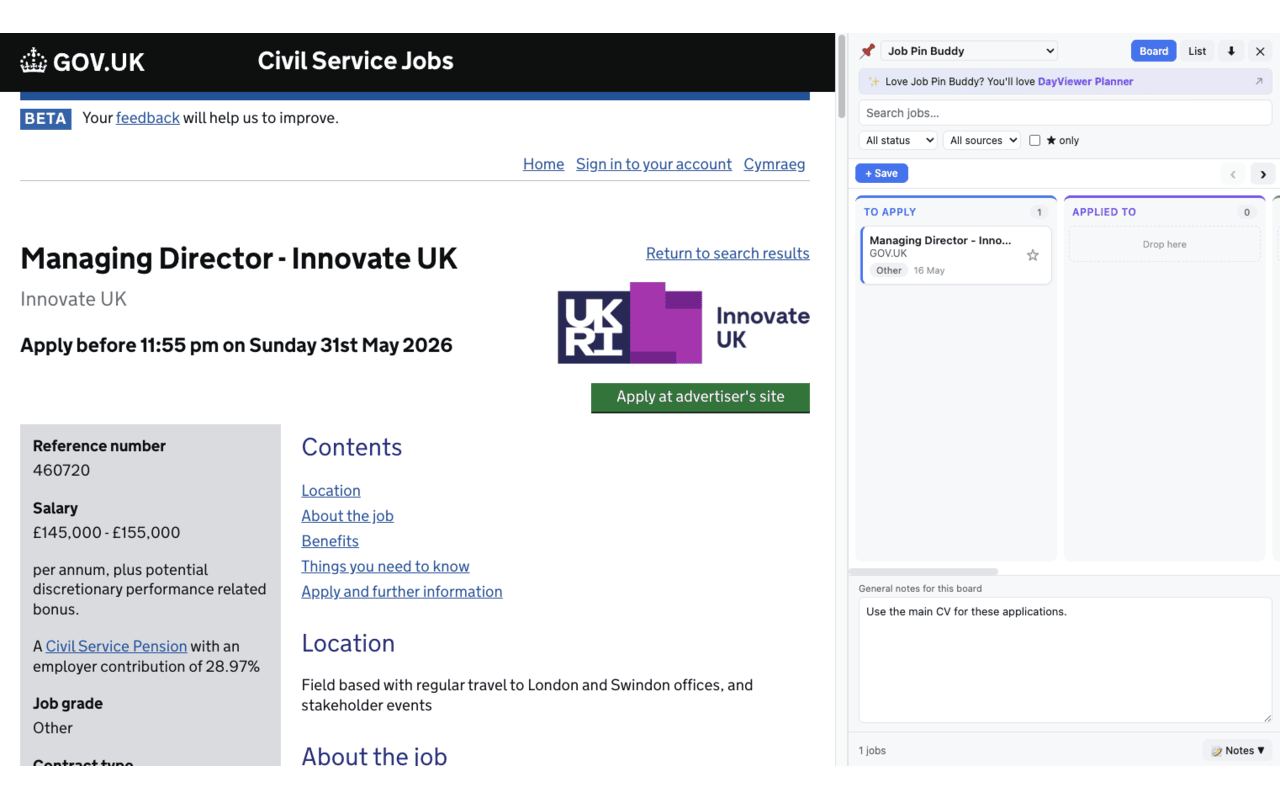
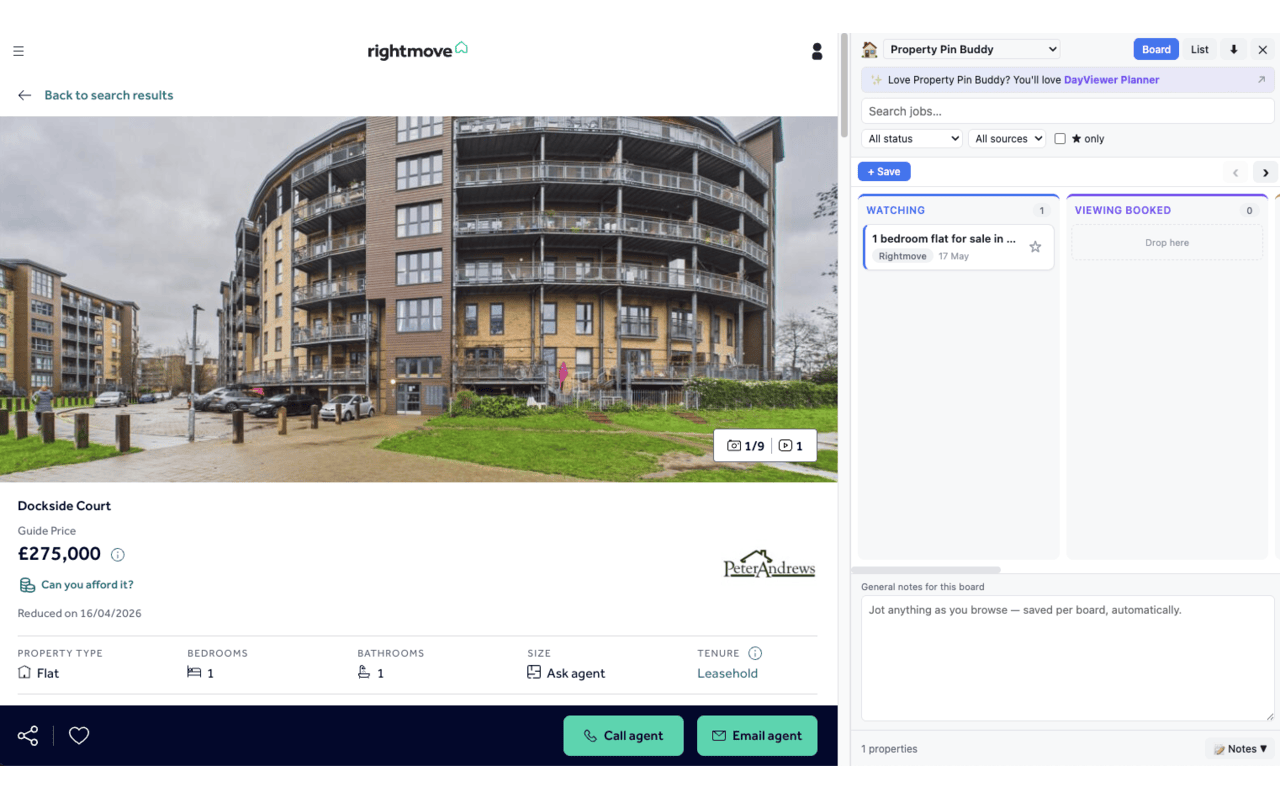
A free Chrome side panel pinboard for the in-between things — pages you're maybe coming back to, half-thoughts you want attached to a link, research you don't want to commit to a bookmark yet. Pin as you browse, with a note attached, and find it again later without scrolling a thousand-row bookmark tree.
Who this is for
For people doing active research, comparison shopping, planning a trip, or just collecting half-thoughts as they browse — anyone for whom bookmarks are too formal, browser history is too noisy, and "open in a new tab" is how they end up with 80 tabs by Friday.
What you can use it for
Run a research session without losing the thread
Pin the four pages worth re-reading, add a note about why each one matters, and you've got a working set you can come back to tomorrow without re-doing the search.
Comparison shopping
Pinning four product pages with a note ("12-month warranty," "in stock locally") beats opening eight tabs and forgetting which is which.
A lightweight reading list
For articles you'll maybe read this week. If you do, great — clear the pin. If you don't, you weren't going to anyway, and your bookmark library stays clean.
Collect recipes, ideas, references
A soft folder for things you're collecting around a current interest, without committing them to permanent bookmarks. Especially handy for hobbies that come and go.
Capture half-thoughts attached to a page
The note is where you'll remember why past-you cared — which is the whole reason "I'll just bookmark it" never quite works.
Why pins are better than bookmarks for active work
- Lower commitment — pins are for "maybe"; bookmarks are for "definitely." Mixing them is why bookmark libraries turn into graveyards.
- Notes attached — a URL on its own is useless six weeks later. The note carries the context.
- Always visible — the side panel keeps your current working set in peripheral vision.
- Disposable when done — clearing a pin doesn't feel like deleting a bookmark, so you'll actually clean up.
Privacy & no-account promise
Browse & Pin Buddy stores every pin and every note locally in your browser. There is no account, no signup, no analytics, no third-party sharing, and no cloud sync controlled by us. Your research, your reading list, your half-formed ideas — yours, on your device.
FAQ
How is this different from Chrome bookmarks?
Bookmarks are permanent and contextless. Pins are lightweight, carry a note, and live in a working-set side panel you actually look at. If you find yourself wanting a bookmark long term, you can always convert.
How is this different from Job Pin Board?
Job Pin Board is purpose-built for tracking job applications, with statuses, follow-up dates, and a job-search shape. Browse & Pin Buddy is general-purpose research and reading.
Is it private?
Yes — local storage only, no account, no analytics, no sharing.
Is it free?
Yes. Sponsored by DayViewer.